Why Is My Warzone FPS So Low? (Real Causes + How to Fix It)
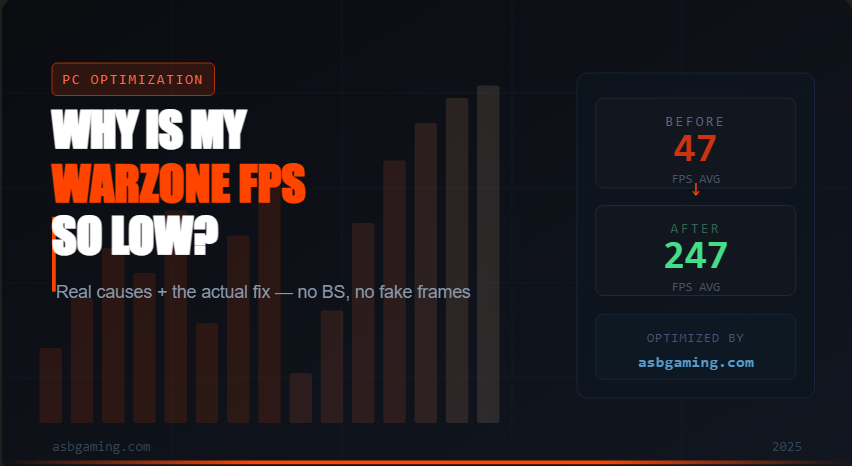
If you're getting low FPS in Warzone and you've already tried lowering your in-game settings — you're doing it wrong. Graphics settings are almost never the main issue. After optimizing over 3,000 PCs for Warzone players, I can tell you that the real culprits are almost always hiding in your Windows installation, your drivers, or your background processes.
Let me break down exactly what's killing your FPS.
Your Windows Install Is Bloated
A stock Windows installation is not built for gaming. It's built to run telemetry, update services, Cortana, OneDrive sync, Xbox Game Bar, and dozens of other background processes you never asked for. Every one of those is eating CPU cycles and memory bandwidth while you're trying to push 200+ FPS.
The fix isn't just turning off a couple of startup apps. It's a deep clean — disabling the right services, killing unnecessary schedulers, and stripping out the processes that Windows quietly re-enables after updates.
Wrong Power Plan
This is the most embarrassing one because it's so easy to overlook. If your PC is on Balanced power plan, your CPU is throttling itself dynamically. It's literally not running at full speed. For Warzone, you want High Performance or a custom Ryzen/Intel power plan depending on your CPU. This alone can add 20–40 FPS on certain systems.
Driver Issues
Outdated GPU drivers are obvious, but the less obvious one is having the wrong version. Nvidia and AMD both release driver updates that sometimes tank performance in specific games. I've seen clients come to me after updating to the latest driver and losing 50 FPS. The fix was rolling back to a stable version.
On top of that — if you've never done a clean driver install (DDU + fresh install), you probably have driver remnants from old versions causing conflicts. This is more common than people think.
Thermal Throttling
If your CPU or GPU hits its thermal limit, it automatically reduces clock speeds to protect itself. You can have an RTX 4080 and still get stuttery 60 FPS if your cooler is clogged with dust or your thermal paste is dried out. Check your temps in-game. CPU shouldn't exceed 85–90°C and GPU shouldn't exceed 83–85°C under load. If they are — that's your problem.
HPET and Timer Resolution
This is a deep-cut one that most guides don't cover. Windows uses a hardware clock called HPET (High Precision Event Timer) to manage process scheduling. For gaming, it's often better disabled. On top of that, setting your timer resolution to 0.5ms instead of the default 15.6ms makes a measurable difference in frame pacing and input latency — even if your raw FPS number doesn't change dramatically, your game will feel smoother.
Your GPU Isn't Being Used Properly
If Warzone is running on your iGPU instead of your dedicated GPU, you're going to get terrible FPS. This sounds obvious but it happens more than you'd think — especially on laptops or systems where the dedicated GPU drivers weren't installed correctly. Check Task Manager > Performance tab during a game to confirm which GPU is being used.
Also, make sure Warzone is set to use "High Performance" in Nvidia/AMD's control panel, not "Power Saving."
In-Game Settings That Actually Matter
Since we're here — a few Warzone settings that do have a real impact:
Render Resolution: Keep at 100. Never go above. Going above tanks FPS for zero visual benefit.
VRAM Scale Target: Set to 80–85%
Texture Quality: Can lower this if VRAM is limited
Anti-Aliasing: DLSS Quality or DLSS Balanced if you have Nvidia. FSR if you don't.
Frame Generation: Turn it OFF. It adds input delay and produces fake frames. Your 200 real FPS is worth more than 400 frame-gen FPS in a competitive shooter.
So What's the Actual Fix?
If you've gone through this list and you're still not hitting the FPS your hardware should be capable of — the issue is almost certainly in your Windows configuration and system-level settings. This is exactly what I fix for my clients.
My best result: a Ryzen 9800X3D + RTX 5080 build hitting 300+ real FPS in Warzone with frame generation off. That's not luck — that's every layer of the system being properly configured.
Before I charge anything, I do a free PC check to make sure your hardware is actually capable of more FPS. If it's a hardware limitation, I'll tell you straight — I don't take money for something I can't fix.
👉 [Book a free PC check at asbgaming.com]