How to Get 300+ FPS in Warzone (Without Fake Frame Generation)
I've optimized over 3,000 PCs. About 90% of my clients come to me for one reason — Warzone is running like garbage and they don't know why.
Same story every time. Nice PC. Mid FPS. Terrible feel.
Let me tell you what's actually going on, and what I do to fix it.
First — Frame Generation Is Not Real FPS
Before anything else, I need to kill this myth.
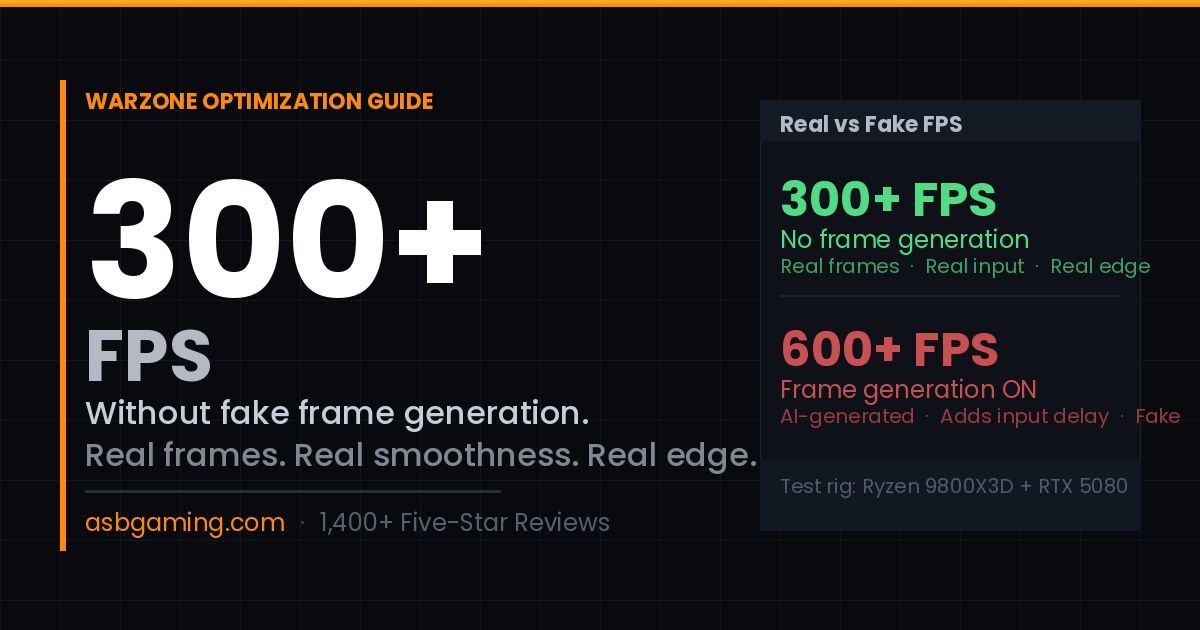
If you're running DLSS or FSR Frame Generation and hitting 600+ FPS — that is not real. Those extra frames are generated by AI between real frames. They look smooth on a framerate counter but they don't reduce input delay. In competitive Warzone, you're actually reacting to older information than a player running 300 real FPS.
I turn framegen off for every competitive client. Always.
300 real FPS beats 600 fake FPS every single time when it matters.
Why Your PC Has Lower FPS Than It Should
Here's what I find on almost every PC I touch:
Windows is not configured for gaming. Out of the box, Windows 11 is set up for the average office worker. Power plan is wrong. Background services are eating CPU cycles. Telemetry is running. Timer resolution is off. None of this is visible to you — it just silently kills your performance.
BIOS settings are at default. Your RAM is probably not running at its rated speed right now. XMP or EXPO needs to be manually enabled in BIOS. Most people never do this. That alone can improve performance significantly.
Drivers are stacked wrong. Old GPU drivers, wrong driver install method, conflicting software — these cause frame time spikes and stutters that show up as micro-freezes even when your FPS counter looks fine.
Game settings are wrong for your hardware. Warzone has settings that tank GPU performance on certain hardware configs. I tune these specifically for your GPU — not a generic guide that works for everyone equally.
Real Example: Ryzen 9800X3D + RTX 5080
This is one of the best gaming setups you can build right now.
A client came to me running around 200 FPS in Warzone. Good rig, frustrating result.
After a full session — Windows optimization, BIOS tuning, RAM configuration, GPU settings, game config — they were hitting 300+ FPS consistently. No frame generation. No fake numbers. Real frames, real smoothness, real competitive advantage.
That's the difference between a PC out of the box and a PC that's actually set up to perform.
What Actually Needs to Be Done
This is what a proper Warzone optimization covers:
Power plan — switch to a high-performance or custom gaming power plan
XMP/EXPO — enable your RAM's actual rated speed in BIOS
GPU driver clean install — uninstall completely with DDU, fresh install
Background processes — disable unnecessary services and startup apps
DPC latency — identify and fix hardware causing latency spikes
Warzone in-game settings — tuned specifically for your GPU and resolution
Network adapter settings — reduce bufferbloat and packet loss
NVIDIA/AMD control panel — low latency mode, vsync off, correct render mode
You can Google each of these individually and spend a weekend trying to figure it out. Or you can book a session and have it done properly in one sitting — while you watch everything happen live on your screen.
Is Your PC Actually the Problem?
Not always. Sometimes the issue is genuinely old hardware that can't be optimized past a certain point.
That's why I offer a free PC check first. I look at your specs, current performance, and if I think optimization can give you meaningful results — we proceed. If your hardware is the bottleneck, I'll tell you honestly and save you the money.
No games. No pressure.
Ready to stop leaving FPS on the table?
Get Your Free PC Check → asbgaming.com
Or jump into Discord and ping me directly: discord.com/invite/asbgaming
ASB has optimized 3,000+ gaming PCs and holds FACEIT Level 10 in CS2. Every session is done personally — no scripts, no outsourcing.