Should You Disable Fullscreen Optimizations on Windows 11?
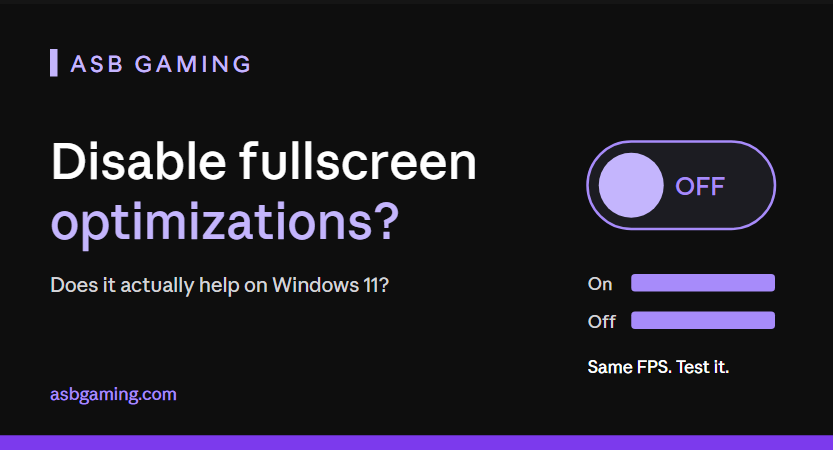
Every second "FPS boost" video tells you to right-click your game, open Compatibility, and tick "Disable fullscreen optimizations."
I've optimized 3,000+ PCs, and most of them are Warzone players who want lower latency and smoother frames. So I tested this tweak properly on Windows 11 instead of just repeating it.
Short answer: on Windows 11, it didn't help in my testing. Here's why, and what to do instead.
What is Fullscreen Optimizations?
Fullscreen Optimizations is a Windows feature. When you launch a game in fullscreen, Windows doesn't always give the game true exclusive control of your screen anymore. It runs the game in a hybrid mode that acts like fullscreen but keeps some borderless-window behavior.
The idea is that Alt-Tab is faster, overlays work properly, and the game still performs almost the same. The checkbox in the Compatibility tab turns this off for one game.
Why people started disabling it
Back when this feature was new on Windows 10, some players reported extra input delay and stutter in certain games. Turning it off became the go-to "fix," and the tip got copied into hundreds of guides.
The problem is that those guides never got updated. Windows has changed a lot since then.
What I found testing it on Windows 11
I tested with the setting on and off, using the same game, the same settings, and the same scene each time.
The result: no meaningful difference in average FPS, 1% lows, or how the game felt. Any change was inside normal run-to-run variation.
[Add your own numbers here: game, PC specs, FPS with the setting on vs. off. Real data from your own PC is what makes this post rank and convert.]
On modern Windows 11, the system handles this much better than it did years ago. That's why the tweak that "fixed" things back then does almost nothing now.
Does it ever help?
Sometimes, on specific older games or odd setups, disabling it changes behavior. If a game has a weird Alt-Tab issue, a flickering overlay, or a bug that started after an update, it's worth a 2-minute test.
But as a universal FPS boost? No. And if a video tells you it will "double your FPS," close the tab.
How to test it yourself (2 minutes)
Right-click your game's .exe file and click Properties.
Open the Compatibility tab.
Tick "Disable fullscreen optimizations" and click Apply.
Run the same scene in the game twice and compare FPS and how it feels.
If nothing improves, untick it. Don't leave random tweaks on.
Always test one change at a time. If you change five settings at once, you'll never know which one did what.
What actually fixes lag and low FPS
If you're chasing smoother gameplay, these matter far more than that checkbox:
Check your CPU is not bottlenecking your GPU. This is the number one cause of "low FPS on low settings."
Turn off frame generation if you're using it for competitive play, because it can add input delay.
Update your GPU driver and do a clean install if things feel off.
Set the right Windows power plan and turn off background apps that eat CPU.
Use the correct in-game display mode, and cap your FPS just under your monitor's refresh rate if you get frame-time spikes.
Stop stacking random registry tweaks from YouTube. More tweaks often means more problems.
I see the same thing again and again. A player has a strong PC, tries ten "secret tweaks," and still has lag, because the real problem was one setting nobody checked.
Real example
I recently worked with a client who had a top-tier PC and still felt input delay in Warzone. The cause wasn't a hidden Windows toggle. It was a setting a previous technician had left on. Once that was fixed, the delay was gone. That's the difference between real optimization and copy-pasting tweaks.
Not sure what's holding your PC back?
Before you spend a cent, I'll do a free PC check. If your hardware is the real problem, I'll tell you straight and you don't need to pay me anything. If software is the issue, I'll show you exactly what to fix.
If you'd rather have it done for you, PC Optimization is $75, Windows Optimization is $35, or get both together for $100. Join 3,000+ gamers whose PCs I've already optimized, and check my reviews on Fiverr and Discord.
Get your free PC check at asbgaming.com.
FAQ
Is disabling Fullscreen Optimizations safe?
Yes. It's a per-game checkbox and you can undo it any time.
Will it increase my FPS in Warzone?
In my Windows 11 testing, no meaningful gain. Test it on your own PC and compare.
Should I use fullscreen or borderless?
Test both in your game. On modern Windows 11 the difference is usually small, so pick what feels best and keeps your frame times stable.